Examples of IIIF to Explore
The IIIF Manifest Editor provides users with the ability to import an existing manifest and then edit it within the tool, allowing them to develop and enhance their existing IIIF as required. You can share your work in progress, and download and save the Manifest. You can browse published IIIF Collections and Manifests and examine those - perhaps to inform how to structure aspects of the metadata, or see how specific IIIF Presentation specification features have been used by other institutions.
It is a good way to learn and discover more about the possibilities the IIIF Presentation specification can afford. So before we start creating our own manifests - we will take a look at one or two examples of IIIF content so that you can see how they are structured, and view some of the metadata included with them to provide some context for our later work.
Perhaps there are one or more institutions that you are aware of which provide a link to their IIIF Manifests that you would like to select and open? If there are good examples you want to share please do!
IIIF Manifest examples to explore today
Section titled “IIIF Manifest examples to explore today”If you don’t have some specific IIIF content that you wish to view, the following is a short list of a some example IIIF Manifests and Collections from various institutes across the globe that can act as a starting point for your exploration:
Bibliothèque nationale de France
Section titled “Bibliothèque nationale de France”- https://gallica.bnf.fr/iiif/ark:/12148/btv1b8626777x/manifest.json (La Bible des poëtes, Métamorphose [d’Ovide moralisée par Thomas Walleys et traduite par Colard Mansion])
- https://iiif.biblissima.fr/chateauroux/B360446201_MS0005/manifest.json (Manuscrit reconstitué : Châteauroux, Bibliothèque municipale, ms. 5 (Grandes Chroniques de France))
- https://gallica.bnf.fr/iiif/ark:/12148/btv1b52511281h/manifest.json (BnF. Bibliothèque de l’Arsenal. Ms-1124)
University of Leeds
Section titled “University of Leeds”- https://iiif.library.leeds.ac.uk/presentation/cc/hbzcdj81 (Sketch by Marie Hartley, “The Blacksmith made all the hinges and snecks”)
- https://iiif.library.leeds.ac.uk/presentation/cc/fbw7jt45 (19th century chromolithographed trade card (advertisement), R. Jaekel trade card)
- https://iiif.library.leeds.ac.uk/presentation/cc/mh4cf1hy (Coin collection, “aureus”)
- https://presentation-api.dlcs-trial.digirati.io/176/leeds-imc/university-of-leeds-medieval-manuscripts (IIIF Collection with links to a number of Medieval Manuscripts held at Leeds Special Collections)
Wellcome
Section titled “Wellcome”- https://iiif.wellcomecollection.org/presentation/b18035723 (Wunder)
- https://iiif.wellcomecollection.org/presentation/collections/archives/MS.1978 (Notebook - Marie Curie)
British Library
Section titled “British Library”- https://bl.digirati.io/iiif/ark:/81055/vdc_100177809527.0x000001 (Foundation charter of Bordesley Abbey by Empress Matilda)
- https://bl.digirati.io/iiif/ark:/81055/vdc_100104060212.0x000001 (Missal (‘The Sherborne Missal’))
- https://bl.digirati.io/iiif/ark:/81055/vdc_100057739145.0x000001 (Jacob van Maerlant, Der naturen bloeme)
- https://bl.digirati.io/iiif/ark:/81055/vdc_100101631432.0x000001 (Bugis poems)
- https://bl.digirati.io/iiif/ark:/81055/vdc_100135827579.0x000001 (Yongle dadian 永樂大典, chapters 11903-11904)
National Library of Wales - Llyfrgell Genedlaethol Cymru
Section titled “National Library of Wales - Llyfrgell Genedlaethol Cymru”- https://damsssl.llgc.org.uk/iiif/2.0/4628556/manifest.json (The ‘Hengwrt Chaucer’)
- https://damsssl.llgc.org.uk/iiif/2.0/6160651/manifest.json (Peace Petition - 16/56 1923)
- https://damsssl.llgc.org.uk/iiif/2.0/1131490/manifest.json (Aberystwith and Cardigan Bay)
Biblioteca Nacional de Portugal
Section titled “Biblioteca Nacional de Portugal”- https://permalinkbnd.bnportugal.gov.pt/iiif/13436/manifest (Processionale ad usum sacri ordinis cisterciensis)
- https://permalinkbnd.bnportugal.gov.pt/iiif/13517/manifest ([Missal segundo o rito cisterciense])
- https://permalinkbnd.bnportugal.gov.pt/iiif/13934/manifest ([Bíblia])
Leventhal Map & Education Centre, Boston Public Library
Section titled “Leventhal Map & Education Centre, Boston Public Library”- https://collections.leventhalmap.org/search/commonwealth:3f462s93b/manifest (A map of New-England)
- https://collections.leventhalmap.org/search/commonwealth:3f463966q/manifest (Map of Boston (1874))
- https://collections.leventhalmap.org/search/commonwealth:j6733j16t/manifest (Plan for Boston (1986))
Princeton University Library, Special Collections
Section titled “Princeton University Library, Special Collections”- https://figgy.princeton.edu/concern/scanned_resources/82b92cb5-7b16-4f15-a8ab-aa505facd65b/manifest (State Turnpike, Historical Photograph Collection)
- https://figgy.princeton.edu/concern/scanned_resources/4e2b0909-ce4b-43ad-8a75-85ecfb61b8c1/manifest (The Sid Lapidus ‘59 Collection and the Age of Reason / [curator, Steven A. Knowlton].)
- https://figgy.princeton.edu/concern/scanned_resources/ccc4a05c-78cc-4dde-9cb4-42fb2d314878/manifest (Albert Einstein in Princeton)
University of Edinburgh
Section titled “University of Edinburgh”- https://librarylabs.ed.ac.uk/iiif/manifest/calendars/2016:_Cities_of_the_World.json (Civatates Orbis Terrarum)
National Library of Scotland
Section titled “National Library of Scotland”- https://view.nls.uk/manifest/8397/83973981/manifest.json (Lyceum/Royal Lyceum Theatre)
- https://view.nls.uk/manifest/7492/74921376/manifest.json (Soviet posters)
- https://view.nls.uk/manifest/1334/7515/133475158/manifest.json (15th century English manuscript)
Oxford Bodleian
Section titled “Oxford Bodleian”- https://iiif.bodleian.ox.ac.uk/iiif/manifest/511601ba-b660-4b07-9b68-8251122c0630.json (Ashmolean Museum Evans Architectural Plans)
- https://iiif.bodleian.ox.ac.uk/iiif/manifest/e2e9eea4-e293-4d63-987f-59cfc3d3def9.json (Bodleian Library Animals on Show)
Further IIIF Content to explore
Section titled “Further IIIF Content to explore”You can use Theseus or the Manifest Editor to find IIIF Manifest URLs from existing IIIF collections and Manifests.
TU Delft
Section titled “TU Delft”You can navigate their IIIF collection from here: (https://heritage.tudelft.nl/iiif/collection.json )
Using Theseus from the viewer tools, you can navigate through IIIF collections - simply open Theseus and paste in the Collection URL.
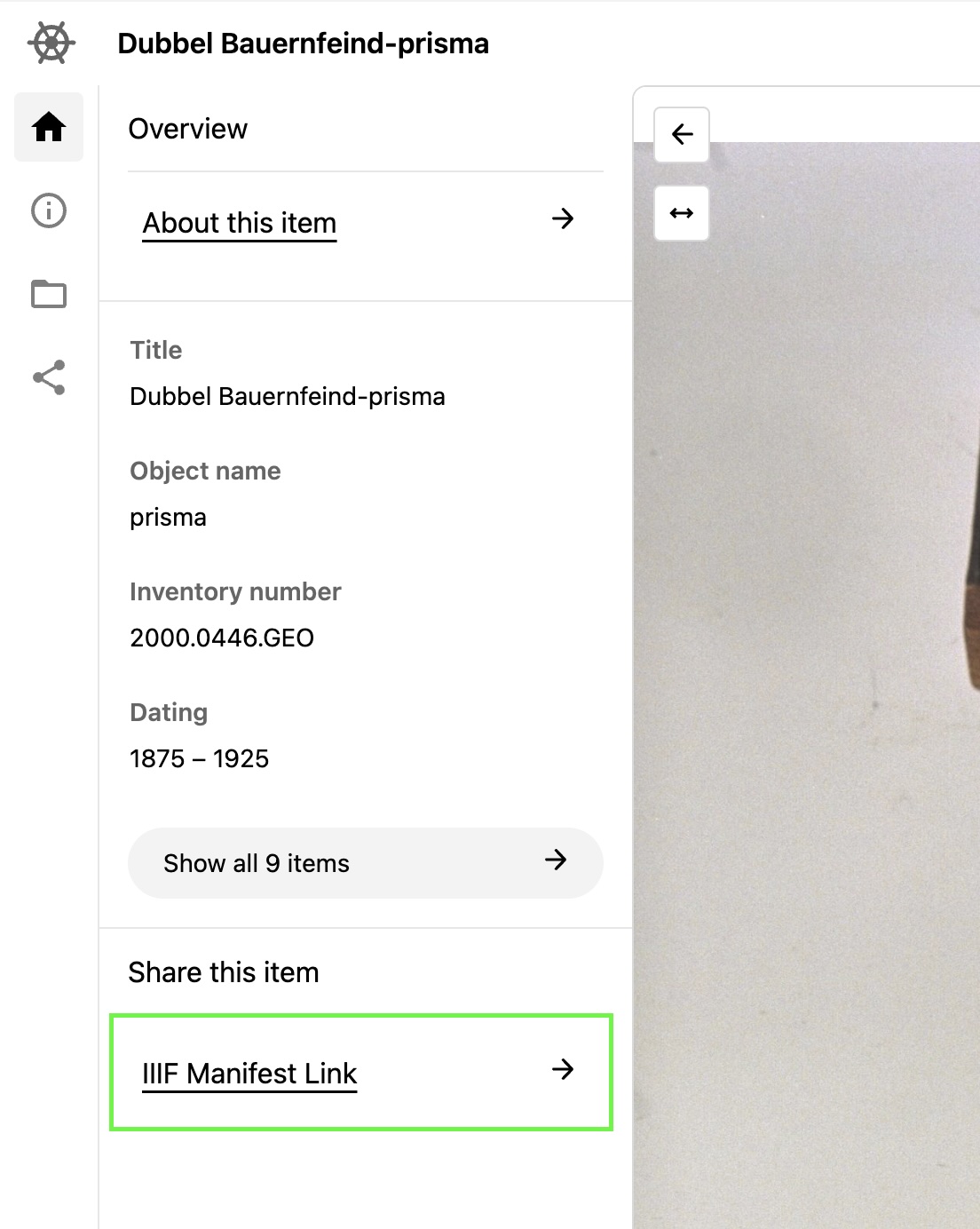
Next to some of the examples there will be links to open and preview IIIF in Theseus.
You can grab the IIIF Manifest URL from the sidebar.
Canadian Research Knowledge Network (CRKN )
Section titled “Canadian Research Knowledge Network (CRKN )”The team at CRKN are currently working on improving accessibility to some of their collections, and will be discussing this in one of the lightning talks at the online conference this week. A collection of the publication Science Dimension can be accessed via:
Northwestern University Libraries
Section titled “Northwestern University Libraries”The Digital collections at Northwestern University Libraries are available online as a IIIF Collection that you can browse through.
https://api.dc.library.northwestern.edu/api/v2/collections?as=iiif
Rijksmuseum
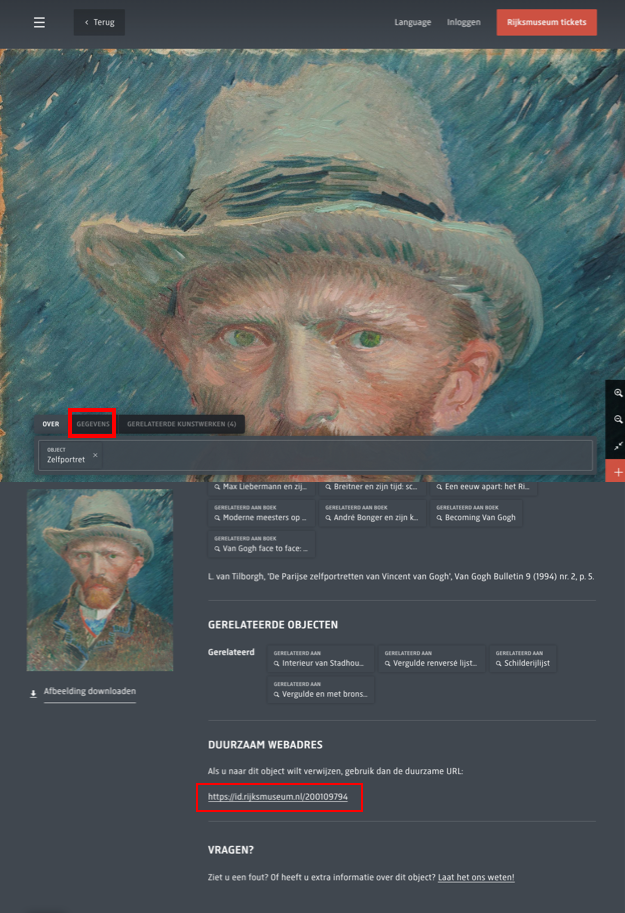
Section titled “Rijksmuseum”The Rijksmuseum has a collection of artworks and artifacts that can be explored. A proxy is available that allows you to grab IIIF Manifests from the resources. If you paste a URL for one of these pages in the box below, a IIIF Manifest URL will be generated.
Here you can see where to get the URLs from the object pages.
Allard Pierson image bank
Section titled “Allard Pierson image bank”The Allard Pierson’s image bank contains digital images of archaeological objects, paintings, prints, maps, photos and slides, as well as books and manuscripts scanned in their entirety.
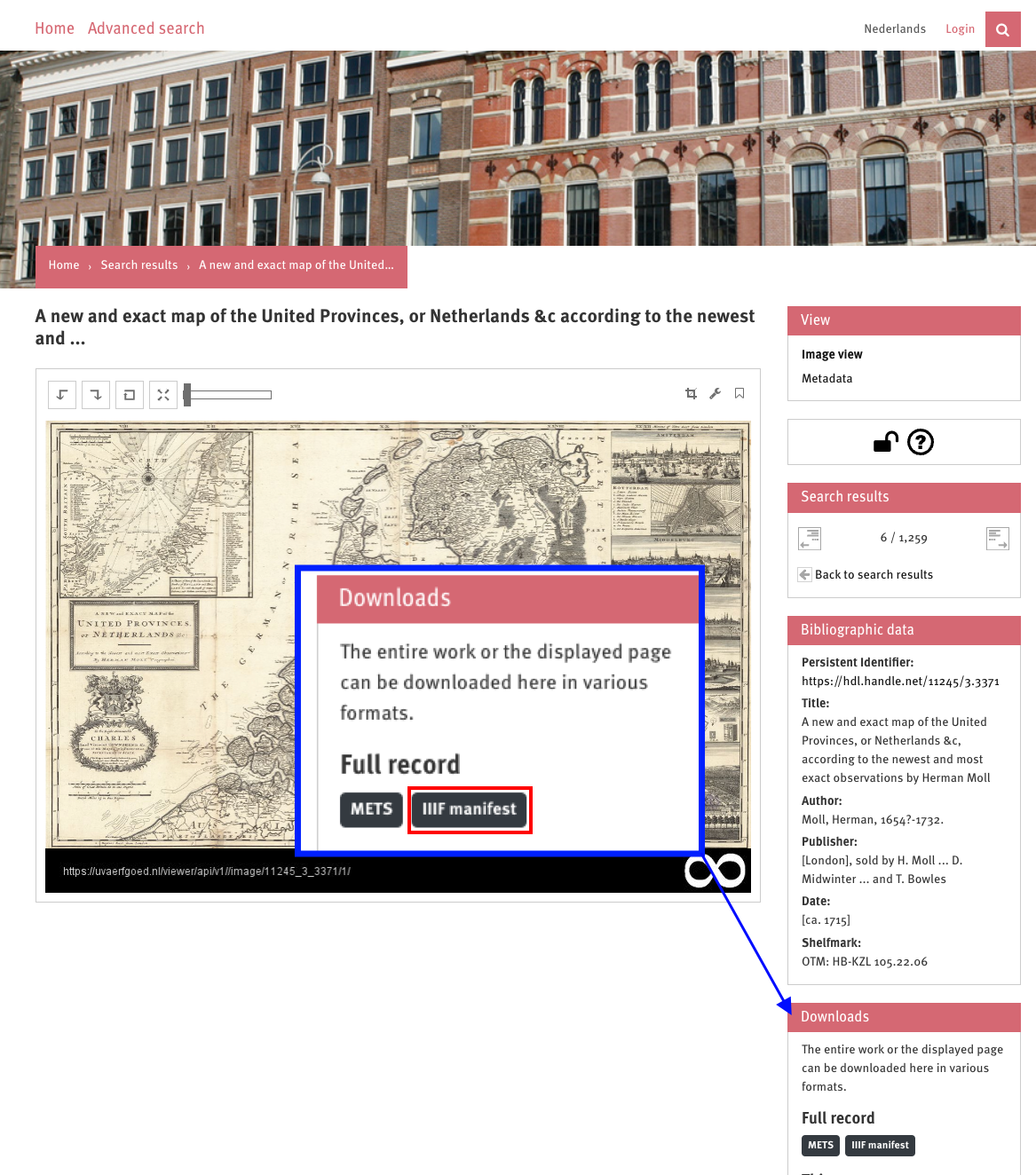
The pages on their website contain links to IIIF Manifests that can be browsed in the Manifest Editor Browser.
https://uvaerfgoed.nl/viewer/index/
BnF Gallica
Section titled “BnF Gallica”An extensive resource - you can explore by Topic (https://gallica.bnf.fr/accueil/en/html/accueil-en) to find some content that may be of interest across a range of areas. Selecting a topic (Geography and Maps for example): https://gallica.bnf.fr/selections/fr/html/geographie-et-cartographie, you can navigate to content such as https://gallica.bnf.fr/selections/fr/html/images/photographies-de-la-societe-de-geographie-acces-geographique
Selecting an object from the search results, viewing it in their viewer, you can find the IIIF Manifest link:
i.e. https://gallica.bnf.fr/iiif/ark:/12148/btv1b8492135q/manifest.json
WikiData
Section titled “WikiData”As mentioned on the IIIF Guides, Wikidata has a property for IIIF Manifests which enables queries to be created that filter and retrieve manifests if they match other Wikidata properties. You can use the examples listed here: https://iiif.io/guides/guides/www.wikidata.org/ which generate links to the manifest using the Mirador viewer.
There is also an example configured for Theseus here: https://w.wiki/DaXE
Wellcome
Section titled “Wellcome”The Wellcome Collection has various IIIF endpoints available to browse through from their archives.
IIIF Image Services
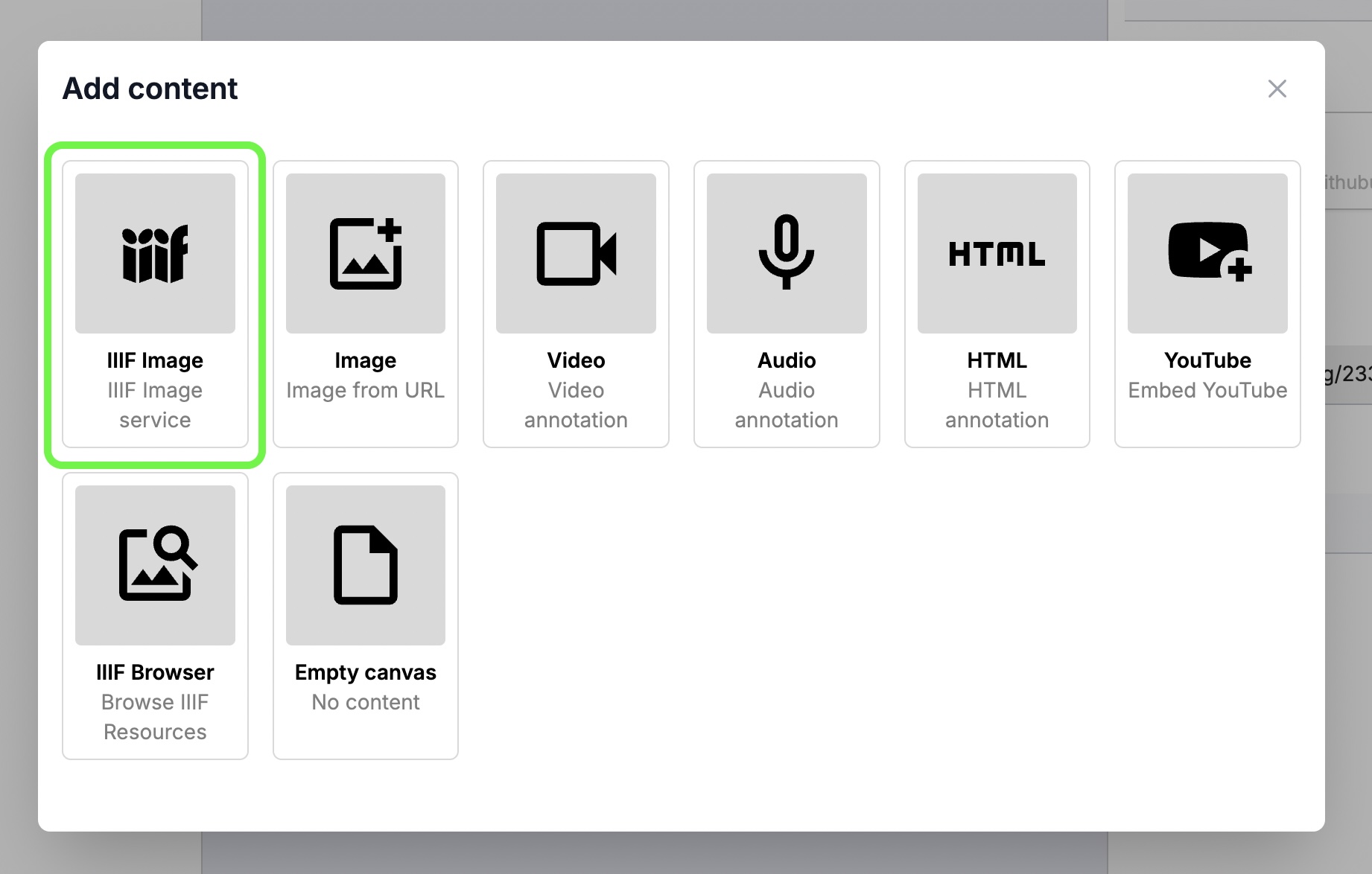
Section titled “IIIF Image Services”From the Manifest Editor you can add IIIF-enabled images from their info.json manifest links. These enable deep zoom
for the images. Some providers do not support IIIF Presentation APIs (Collections and Manifests) but do offer API endpoints for their images.
NLS collection
Section titled “NLS collection”One provider that supports IIIF Images is the National Library of Scotland Map Collection.
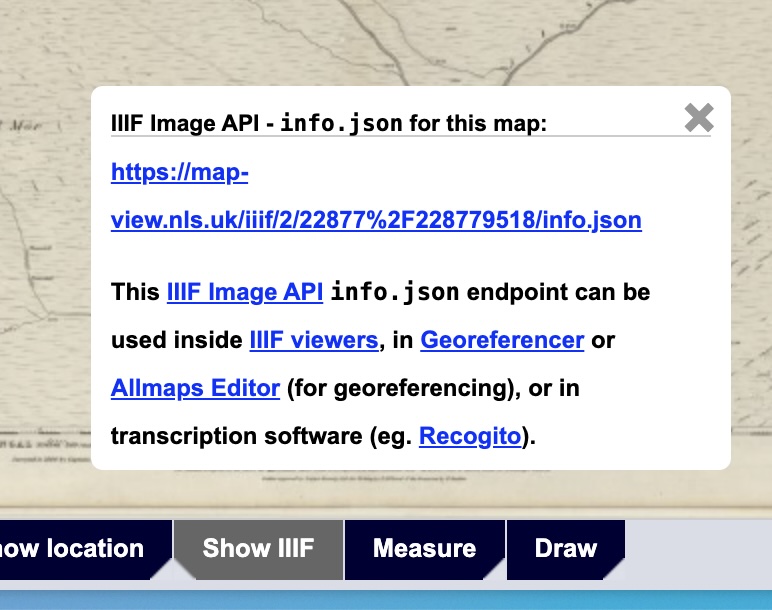
From their site, if you are looking at a single map you can click on the “Show IIIF” and grab a link to the info.json link to add it to your Manifest.
Static images
Section titled “Static images”You can also add images using images that are not IIIF-enabled. You will need an image that is allowed to be linked to from other pages. The format also needs to be supported by browsers, so formats such as JP2000 may not work correctly.
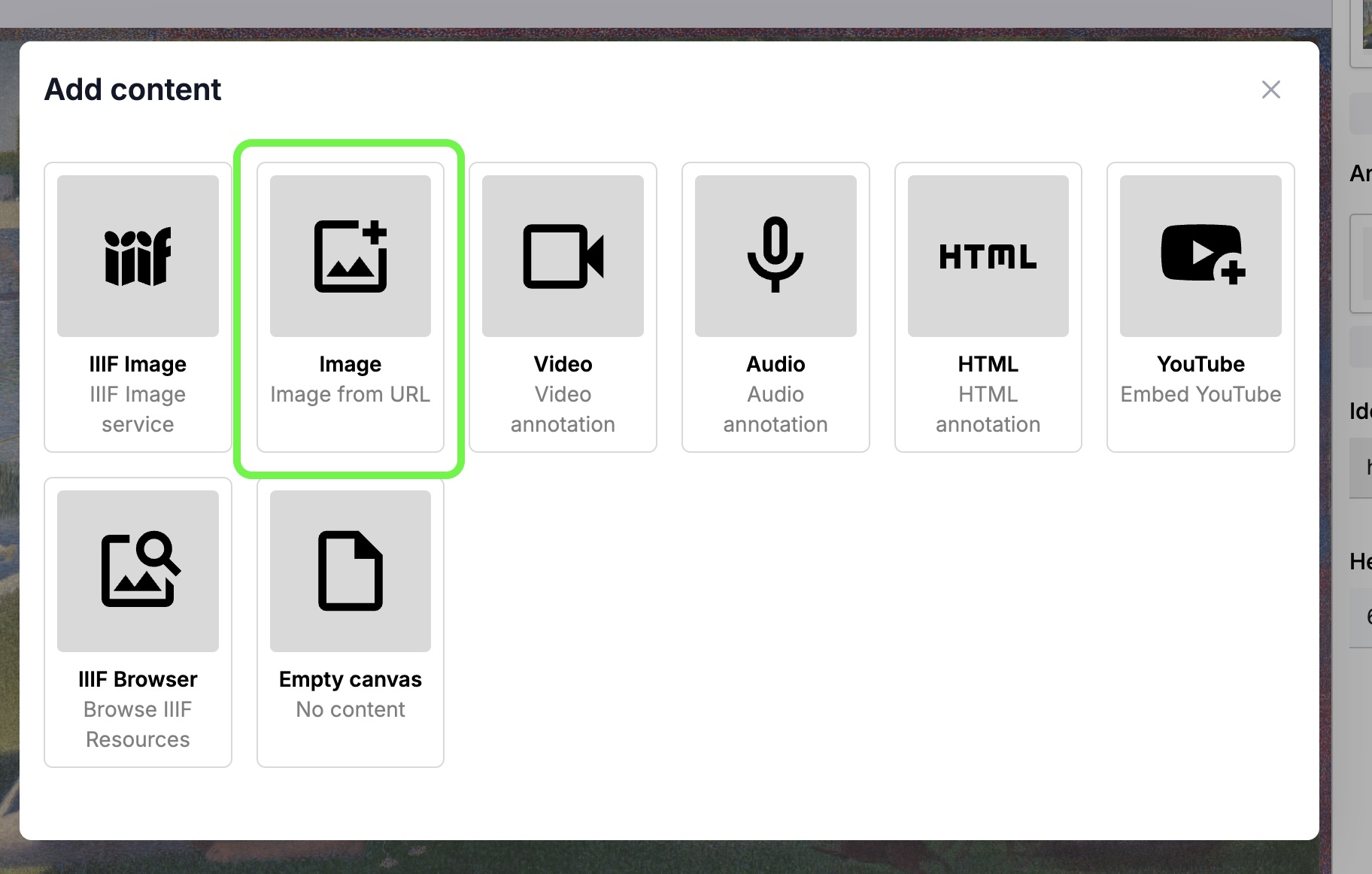
There are a few sources where you can find some static images to include in your Manifests.
The CDLI Collection
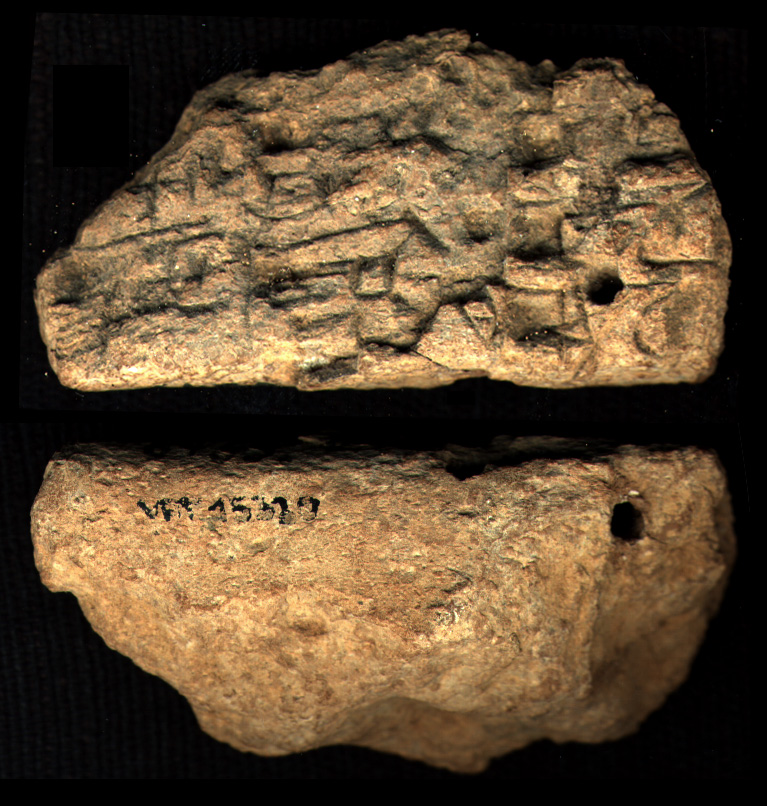
Section titled “The CDLI Collection”On this CDLI collection website high-resolution images are available of the tablets.
https://cdli.mpiwg-berlin.mpg.de/
By making the form and content of cuneiform texts available online, the CDLI is opening pathways to the rich historical tradition of the ancient Middle East. In close collaboration with researchers, museums and an engaged public, the project seeks to unharness the extraordinary content of these earliest witnesses to our shared world heritage.
An example image: https://cdli.mpiwg-berlin.mpg.de/dl/photo/P000001.jpg
Nasa Images
Section titled “Nasa Images”Generate a IIIF Collection using a search term from the NASA photo archive.