Getting Started
To get started, so that you can prepare and then participate in the workshop activities, you will need to navigate to the Digirati IIIF Manifest Editor.
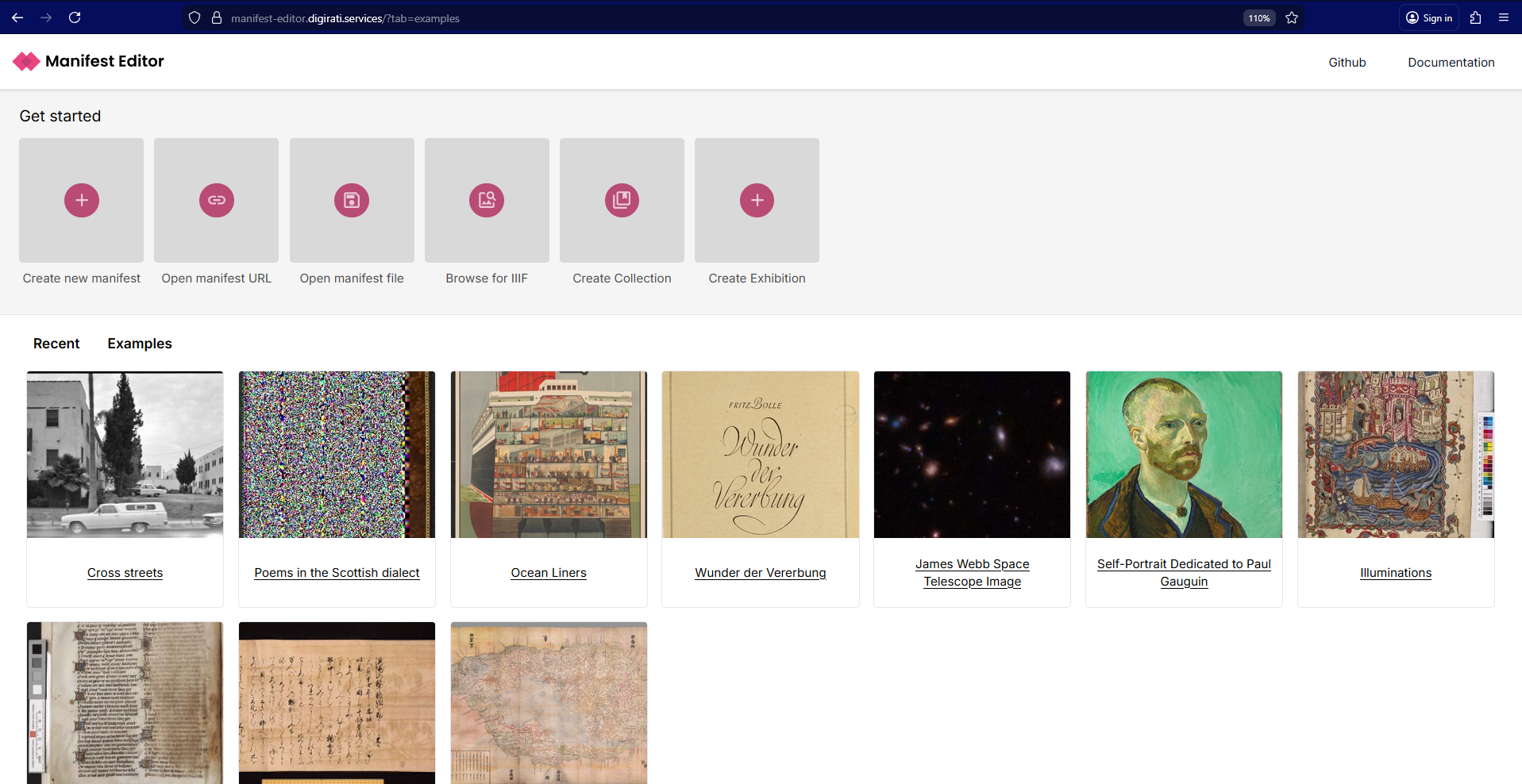
If you have not used the Manifest Editor before (or recently), you will be navigated to the ‘Examples’ tab, where you can click on and open a number of example Manifests from different institutes. These are presented as readonly previews, but you can still explore the metadata in each to understand what information and properties have been included to support the presentation of the digitised content as IIIF.
The ability to import an existing manifest (creating your own copy) and then edit it within the Manifest Editor allows users to develop and enhance their existing IIIF as required. This feature also enables users to browse published IIIF Manifests and examine those - perhaps to inform how to structure aspects of the metadata, or see how specific IIIF Presentation specification features have been used by other institutions.
It is a good way to learn and discover more about the possibilities the specification can afford. So before we start creating our own manifests later in the workshop - we will take a look at one or two manifests so that you can see how they are structured, and view some of the metadata included with them to provide some context for our later work.
You can find a selection of IIIF content to explore in the next section Finding and viewing IIIF content.